


Features
Everything Eleanor does, in real screens
Inbox, AI with you in control, follow-ups, customer profile, calendars, tasks, catalog and metrics. Every image below is a screen of the dashboard, with a demo store and fictitious customers. The dashboard is shown in Portuguese.

Customer service
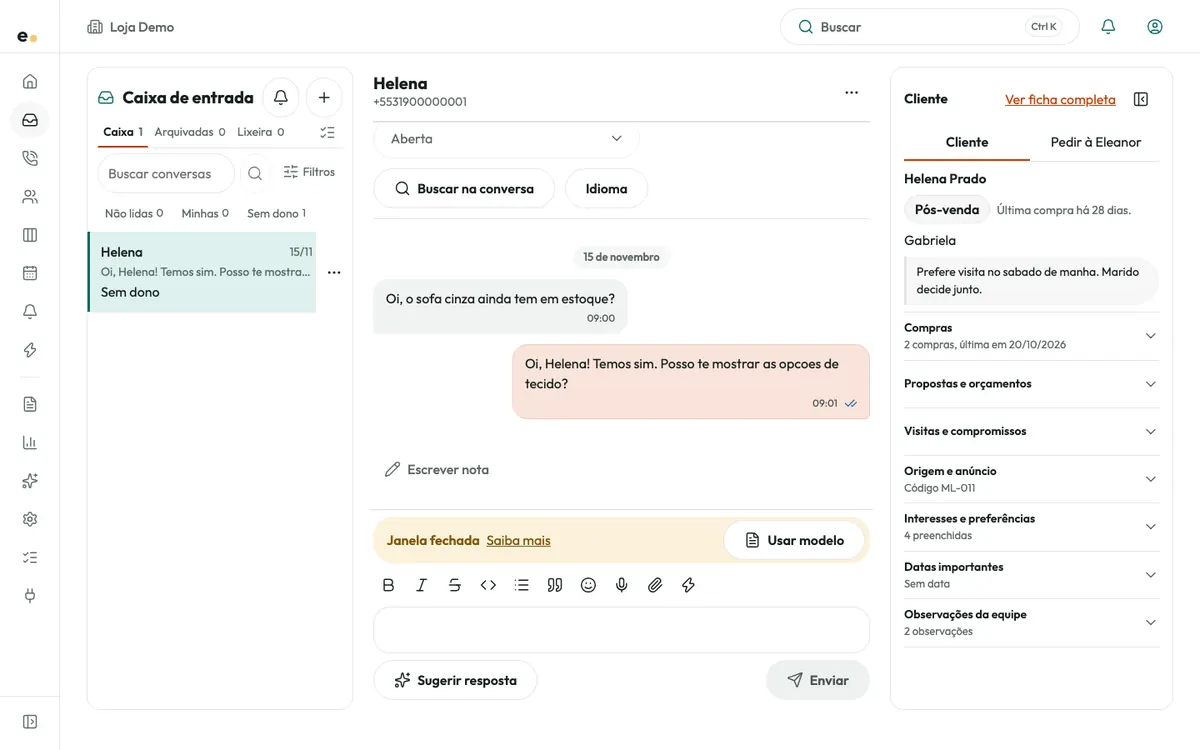
Inbox with the customer profile alongside
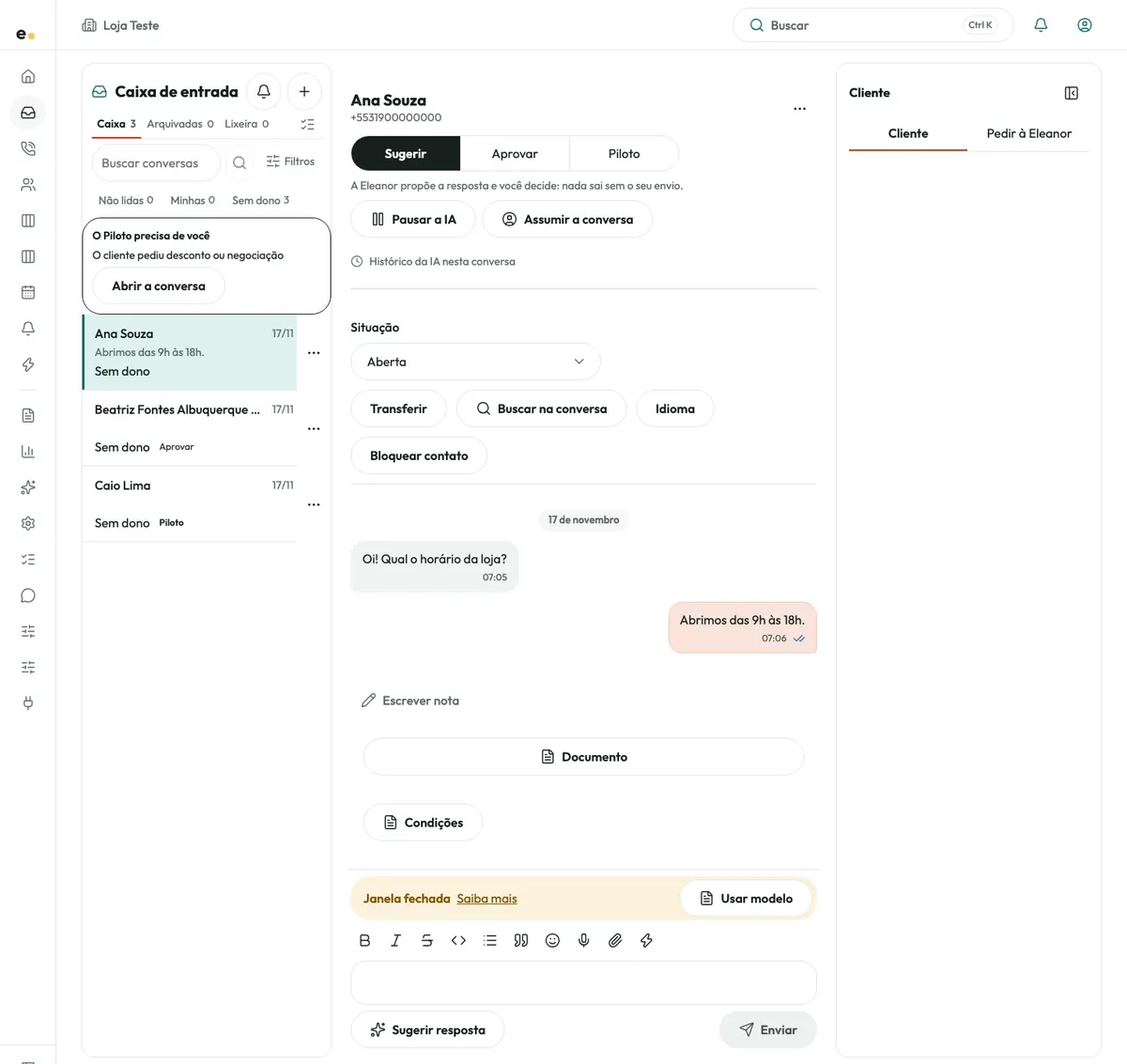
All of the business's WhatsApp conversations in one place. Open a conversation and you already see who the customer is, what they bought and what the team wrote down.
- Filters for unread, mine and unassigned
- Side profile with purchases, quotes, visits, source and ad
- Internal note, message templates and reply suggestion in the same place

AI at work
The AI works in the mode you choose
In each conversation Eleanor can suggest, wait for your approval or reply on its own. You switch the mode, pause the AI or take over the conversation whenever you want.
- Suggest: Eleanor writes, you review and send
- Approve: the reply only goes out after your yes
- Autopilot: it replies and calls you when the customer asks for a discount or negotiation
- No source, no reply: price, lead time and stock only come from business records

Follow-ups
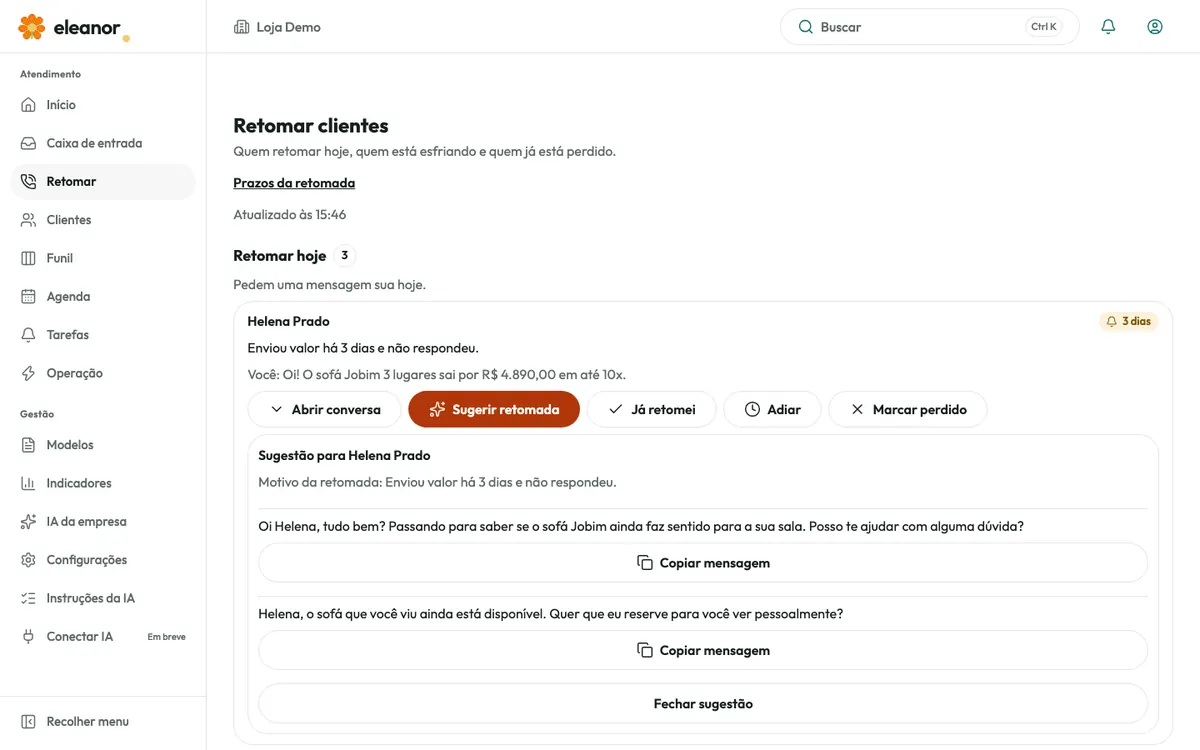
Who to follow up today, with the message ready
Eleanor separates who is waiting for a reply, who is cooling off and who is already lost, and shows the reason for each one.
- List of who to follow up today, with the reason
- Suggested message to copy and send
- Mark as followed up, postpone or mark as lost

Customers
Customer profile and team notes
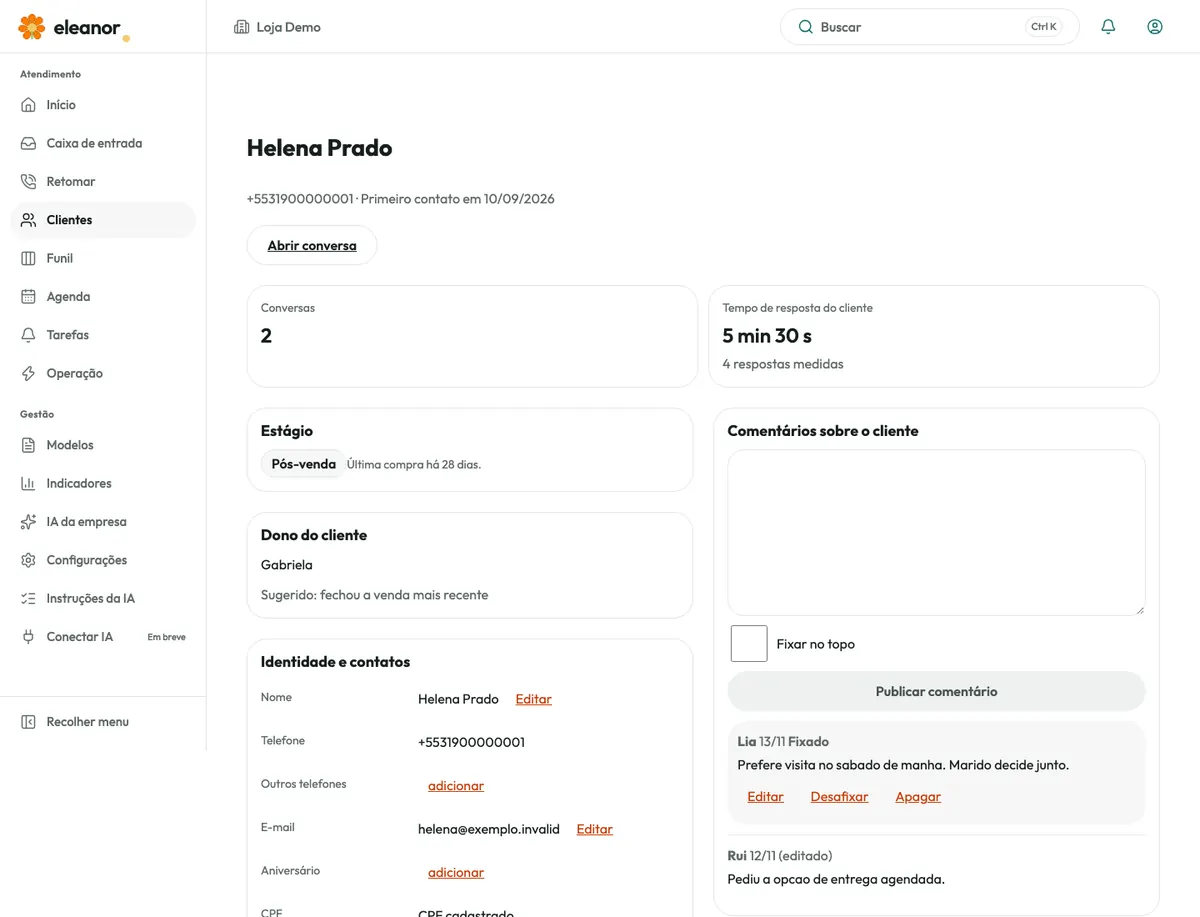
Every customer has a profile with the conversations, the stage, who owns the customer and the team comments.
- Customer stage and suggested owner
- Team comments, with the most important one pinned to the top
- Contacts, birthday and the customer response time

Calendar
Visits, deliveries and callbacks of the day
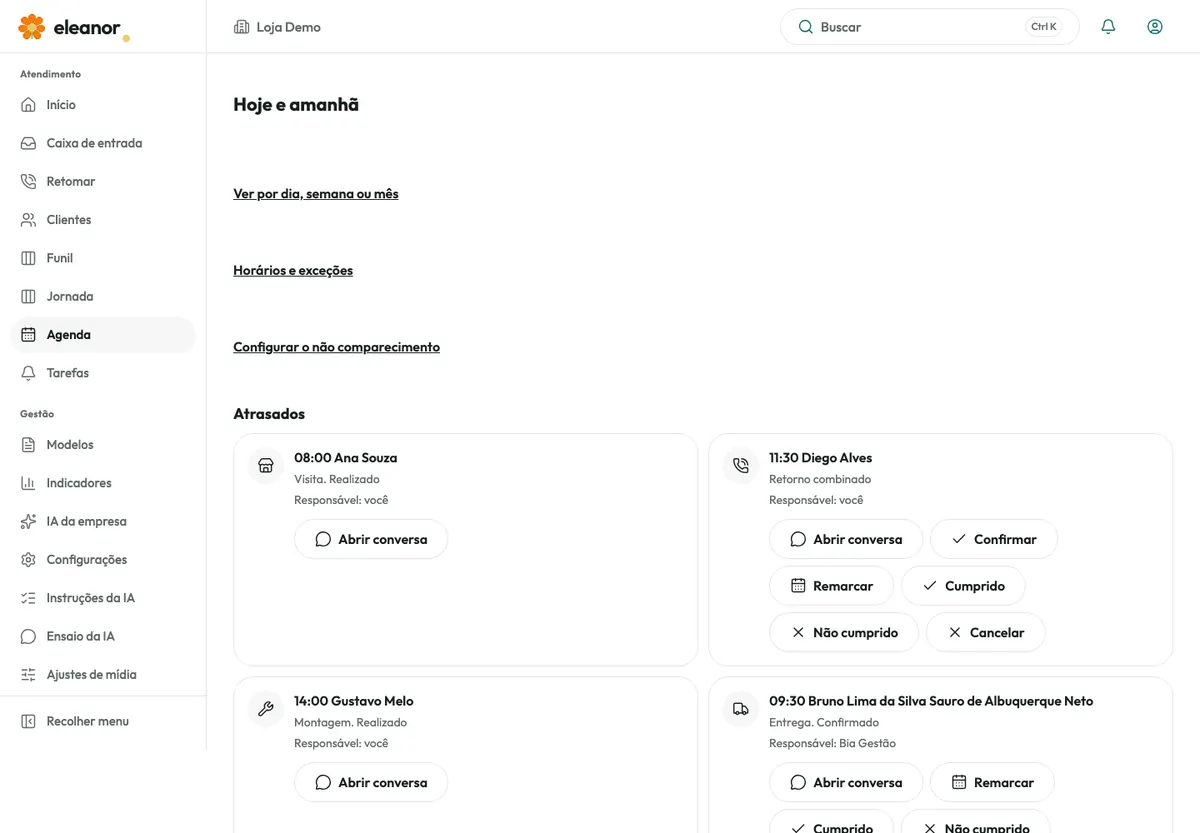
The calendar shows today and tomorrow, with what is overdue at the top. Every appointment has its actions at hand.
- Confirm, reschedule, done, not done or cancel in one tap
- Open the customer conversation straight from the appointment
- View by day, week or month

Team calendar
The whole team calendar on one screen
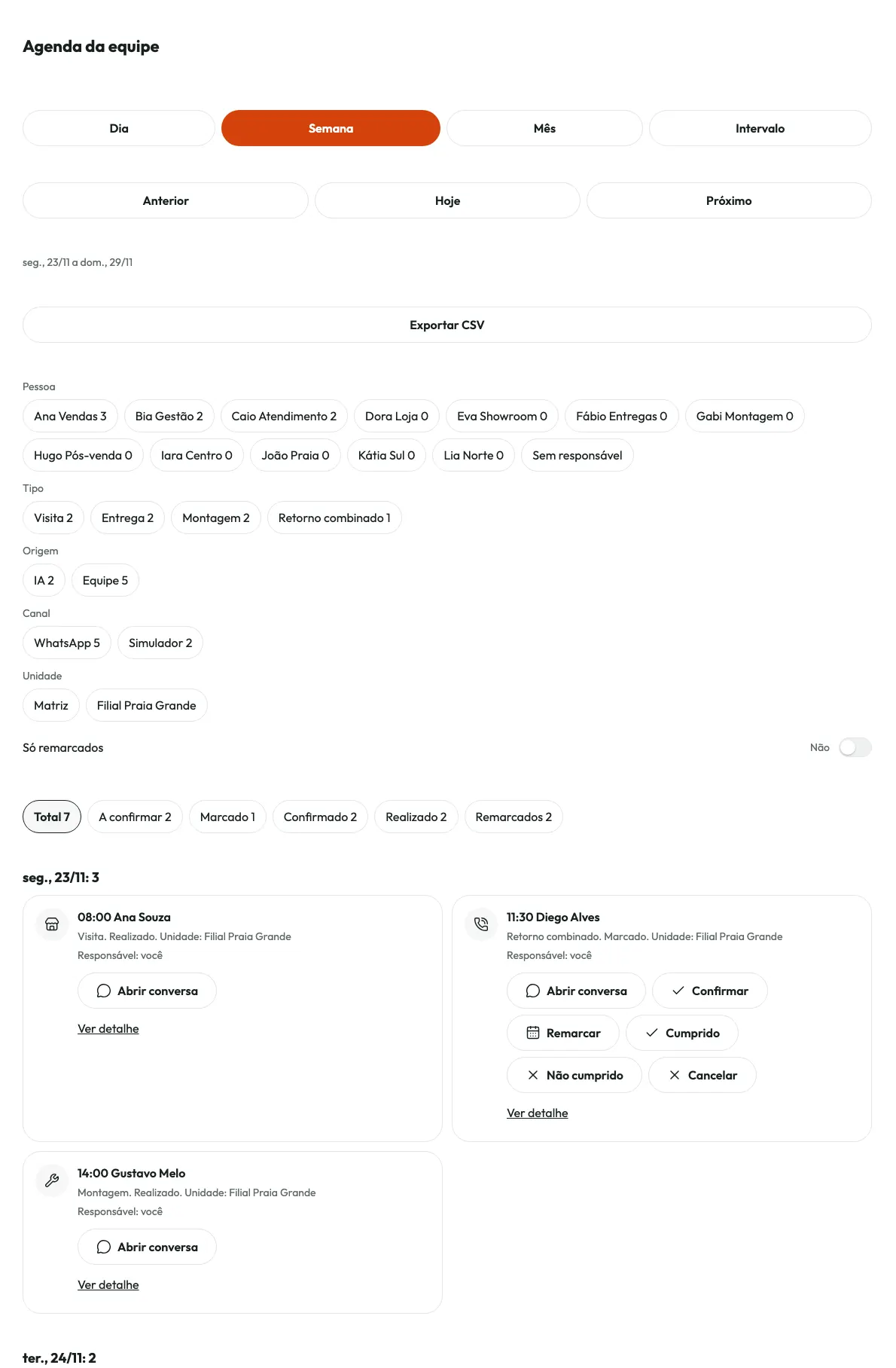
The manager sees each person's appointments by day, week, month or date range and filters by what matters.
- Filters by person, type, source, channel and branch
- Count by status: to confirm, confirmed, done and rescheduled
- Export the calendar as CSV

Google Calendar
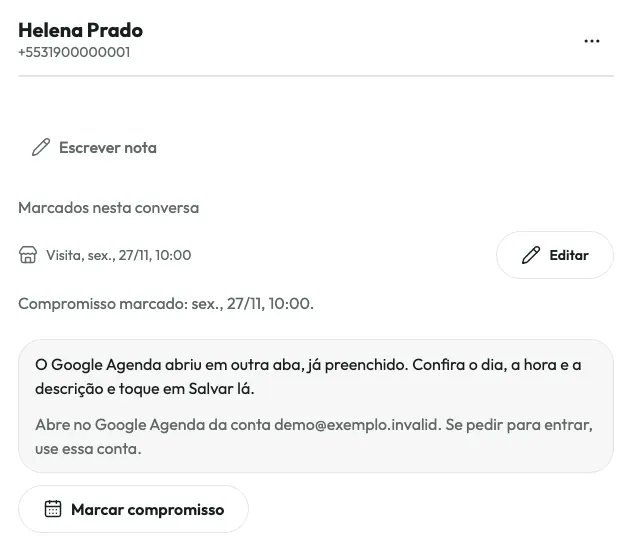
Book it in the conversation, save it in Google Calendar
When you book an appointment from the conversation, Google Calendar opens in another tab already filled in with the day, time and description. You check it and save it there.
- The appointment is recorded in the conversation
- Opens in the Google account set in the dashboard
- It is not an automatic sync: you are the one who saves it

No-shows
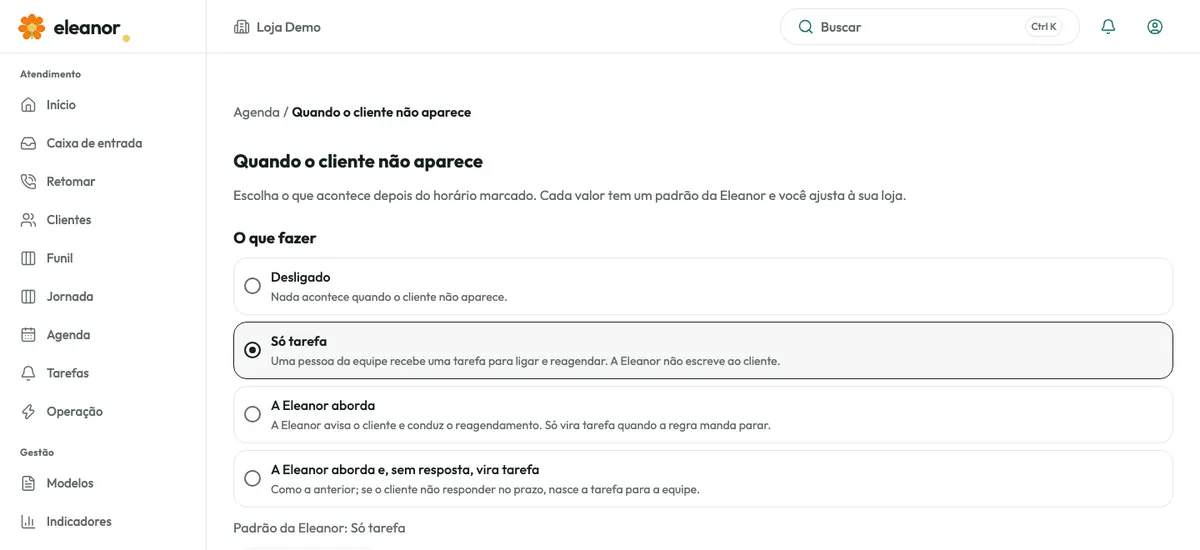
When the customer does not show up
You choose what happens after the booked time. Every option has an Eleanor default and you adjust it to your store.
- Task only: someone on the team gets a task to call and reschedule
- Eleanor reaches out: it messages the customer and handles the rescheduling
- Eleanor reaches out and, with no reply in time, it becomes a team task
- Or off, if you prefer that nothing happens

Tasks
Team tasks, with what is overdue in sight
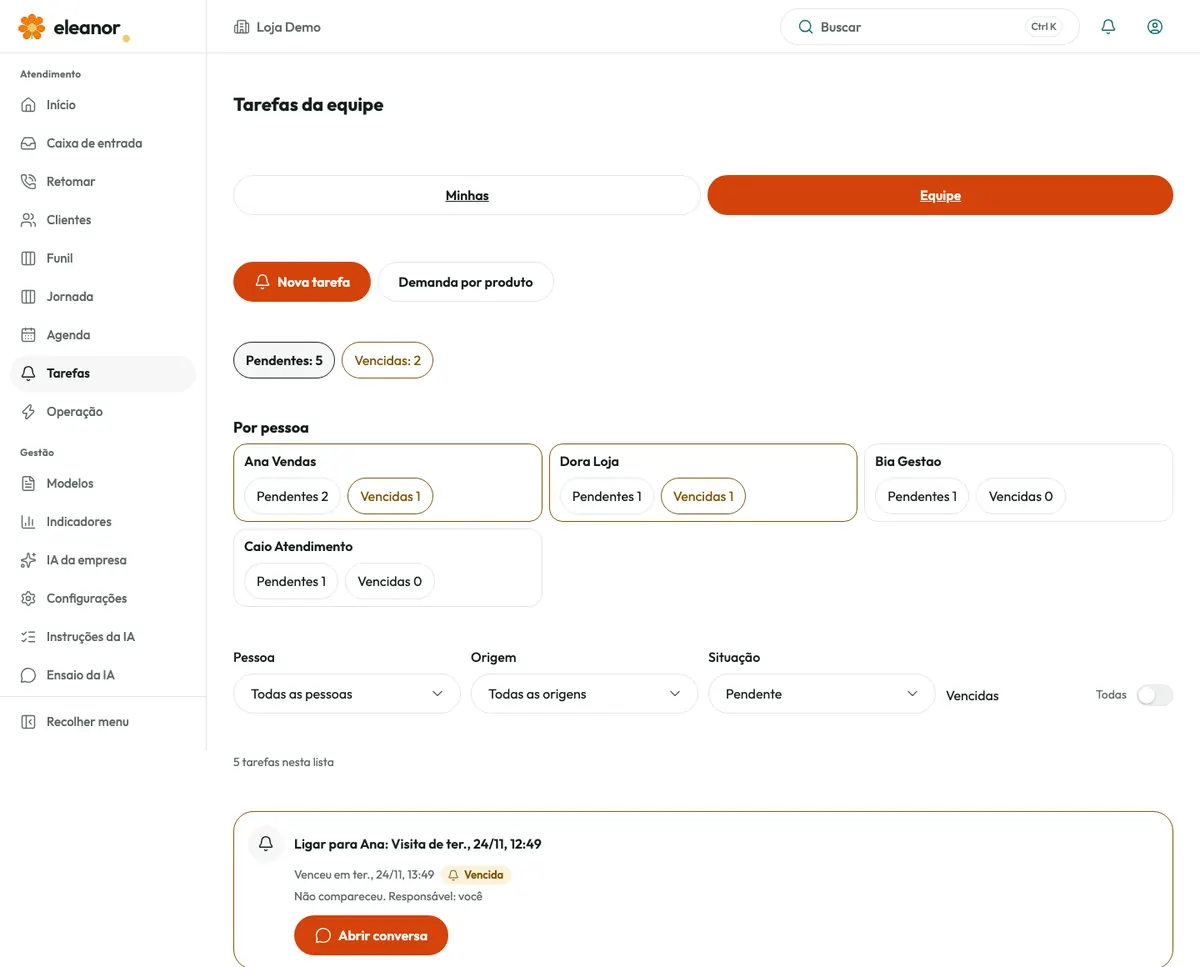
Each person sees their own tasks and the manager sees the whole team, with pending and overdue tasks per person.
- My tasks and team tasks
- Filters by person, source and status
- The task takes you straight to the customer conversation

Catalog and stock
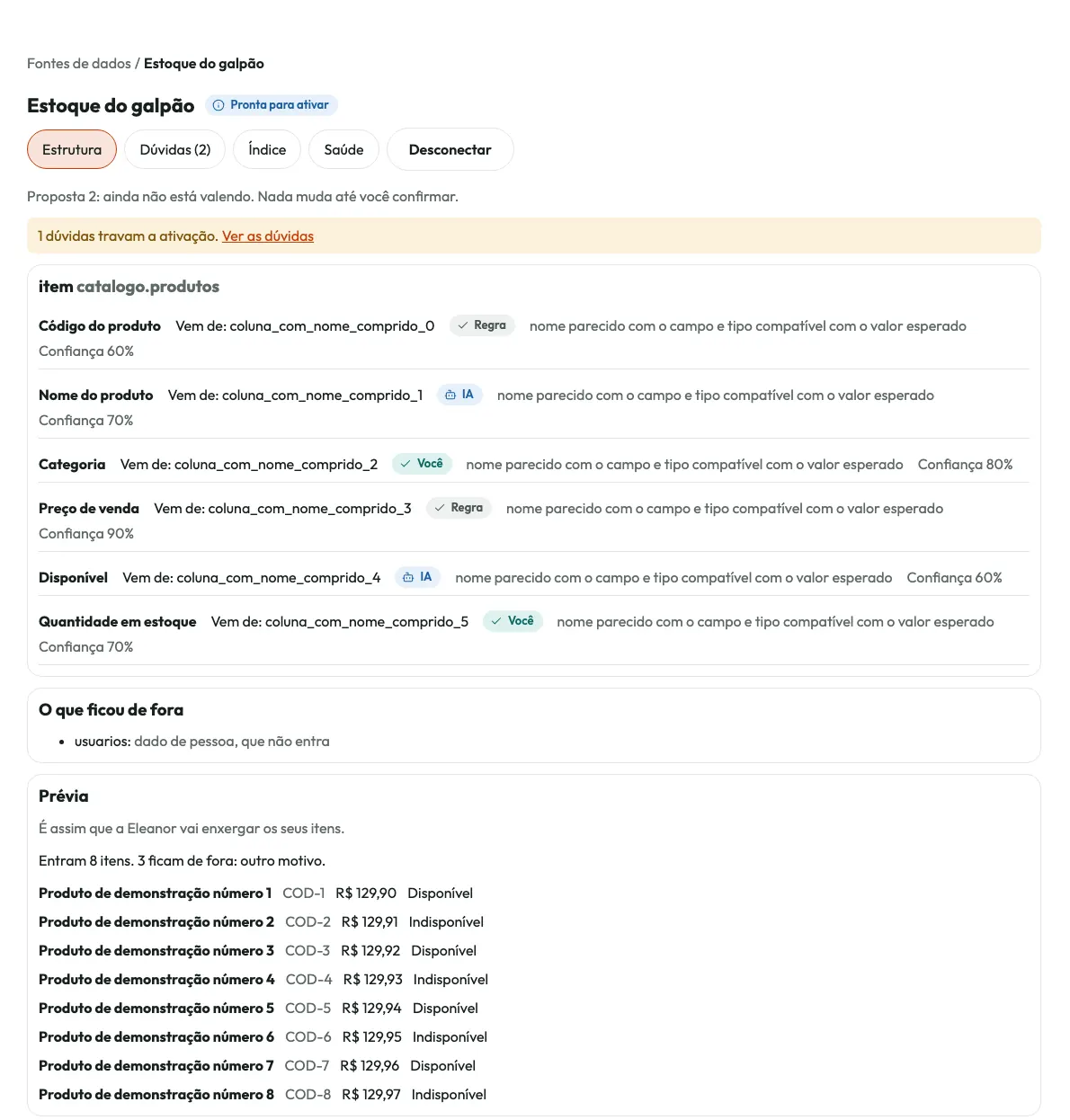
Eleanor reads your catalog and your stock
You connect the business data source and check how each column was understood before turning it on. Nothing changes until you confirm.
- Code, name, category, price, available and quantity in stock
- Preview of how Eleanor will see each item
- An unavailable item is never offered: the AI suggests available alternatives

Daily summary
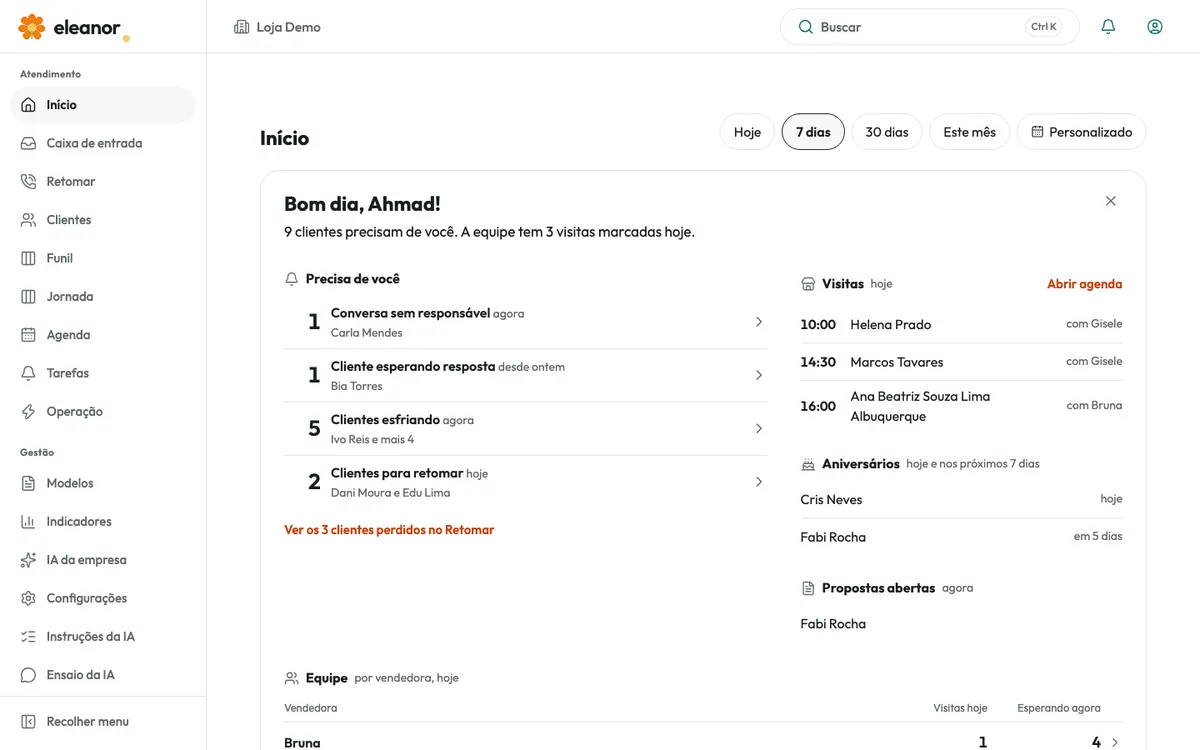
The day starts with what needs you
When opening the dashboard, the manager sees who needs attention, today's visits, birthdays and open quotes.
- Unassigned conversations and customers waiting for a reply
- Customers cooling off and customers to follow up
- Visits of the day and the team per salesperson

Metrics
Funnel and operation numbers, by period
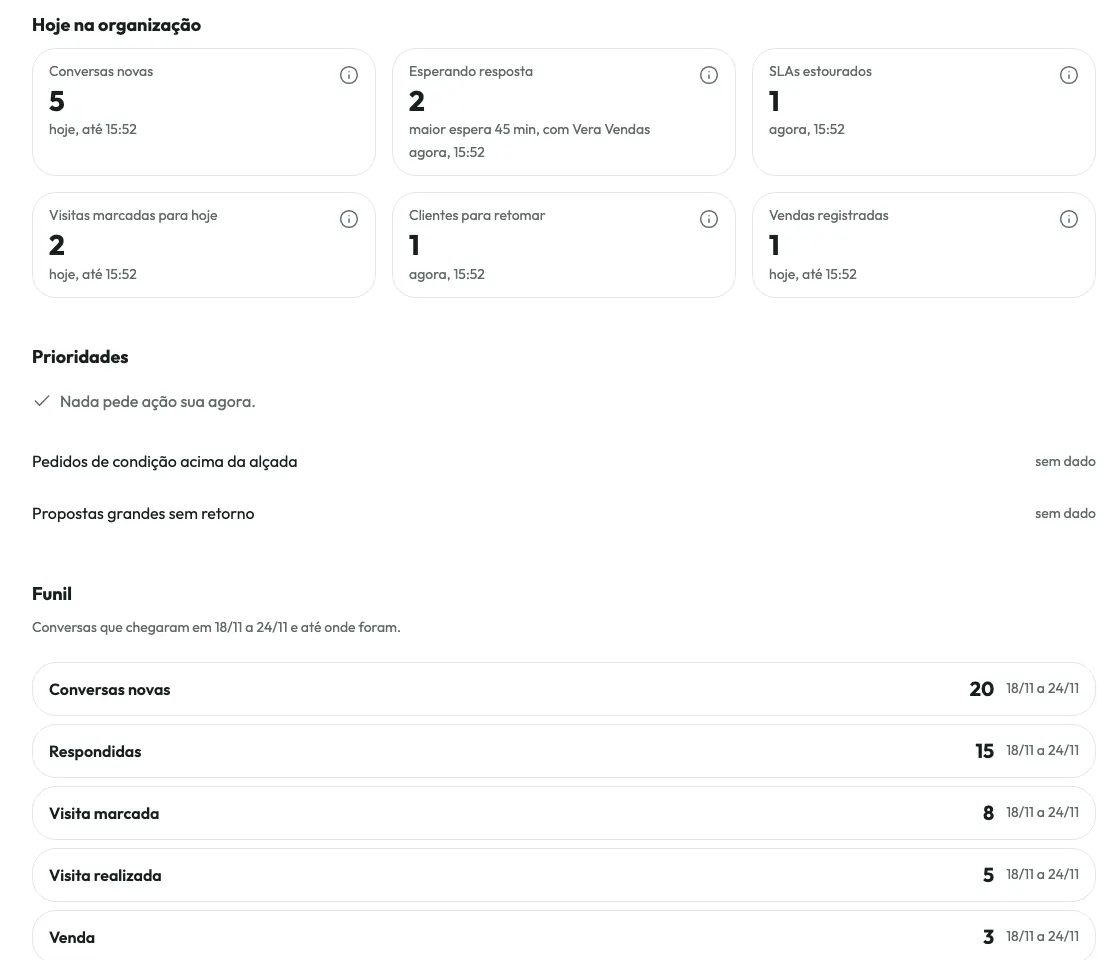
New conversations, replies, visits and sales, with the funnel of the period and the priorities of the day.
- New conversations, waiting for a reply, missed deadlines, visits, follow-ups and sales
- Funnel from new conversations to the sale
- Periods of today, 7 days, 30 days, this month or custom
Want to see this in your customer service?
Some features depend on the plan and on how the business is set up. The plans show what each one includes.