


WhatsApp teams
WhatsApp with multiple agents on one number: split the work, lose no chats
One number, several people replying and nobody knowing who took what. The options for putting more than one person on the same WhatsApp, the limits of each one and the rules that prevent forgotten customers and double replies.
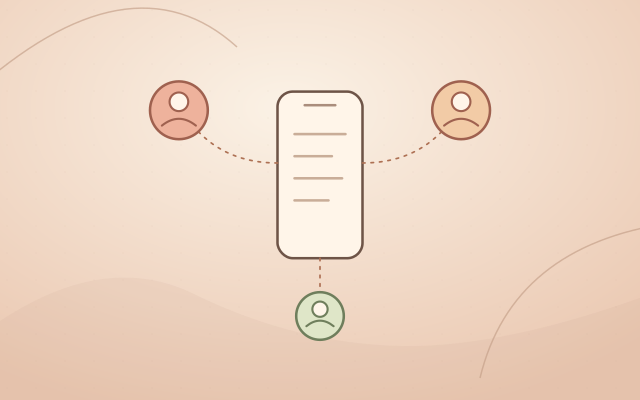
There are two ways to have several people answering the same WhatsApp number: linking other devices to the same app account, up to four devices according to the WhatsApp Help Center, or connecting the number to the official WhatsApp Business API through a customer service platform, which allows an inbox shared by the team. In both cases, the hard part is not technical. It is agreeing on who answers what, so that no customer goes unanswered and none gets two different replies.
The symptom: everyone sees everything and nobody owns anything
The scene is common in a business that has grown. The WhatsApp number is open on the front desk phone, on the office computer and on the phone of whoever handles after-sales. Everyone sees every conversation. The result shows up in three ways:
- A conversation with no reply, because each person thought someone else would answer.
- A conversation with two replies, sometimes contradictory, because two people answered at the same time.
- A customer who repeats everything, because whoever picked up the conversation today does not know what was agreed yesterday.
None of the three is fixed by more people watching the phone. They are fixed with an owner per conversation and history in plain sight.
Option 1: linked devices in the app
WhatsApp itself lets you use the same account on more than one device. According to the WhatsApp Help Center, you can link up to four devices at the same time.
For a team of two or three people, that may be enough for a while. The limits show up as volume grows:
- The device cap limits how many people can answer at the same time.
- There is no owner per conversation: everyone sees the same list, and splitting the work depends on verbal agreements.
- There is no history organized by customer and no record of who replied what.
Option 2: the official API with a customer service platform
The path for larger teams is the WhatsApp Business Platform, Meta's official API, used through a customer service platform. Conversations arrive in a shared inbox, each one can have an owner, and the history is kept per customer. It is also how automation and AI come in within the channel's rules. The differences between the app and the API are covered in WhatsApp Business app or API.
A common question is whether using the API means abandoning the app. Today, not necessarily. Meta's documentation on onboarding WhatsApp Business app users describes the option of connecting an existing app account to the API: after onboarding, you can still send messages individually through the app, and WhatsApp keeps the message history in sync between the two. During the connection, the business chooses whether to share its previous chat history. The requirements and conditions of this option are set by Meta and may change, so check the documentation before deciding.
Five rules for splitting customer service
Whichever option you choose, the split works when the team agrees, in writing, on five things:
- Every new conversation gets an owner within minutes. It can be by rotation, by subject or by whoever is on duty, but it needs a name. A conversation without an owner is the one that gets lost.
- Whoever takes it answers to the end or hands it over explicitly. Transferring is normal; disappearing is not. The handover carries what has already been agreed.
- Nobody answers someone else's conversation without saying so. Two different replies to the same customer cost more than one slightly slower reply.
- History lives in the conversation, not in someone's head. Price quoted, lead time agreed, important notes: written where the next person will read them.
- Someone watches what is stuck. A person, or an automatic alert, checks the conversations that have gone unanswered the longest and reassigns them.
And when AI comes in
With several people on the team, AI joins as one more member, with even clearer rules than the people have. The business decides which conversations it works on, in which mode and when it hands over to someone. And one rule matters more than any setting: if a person on the team has replied to or taken over a conversation, the AI stops replying there. The WhatsApp Business Policy requires automation to have prompt, clear and direct escalation paths to a human, and the opposite matters too: a human never competes with the machine for a conversation.
Where Eleanor comes in
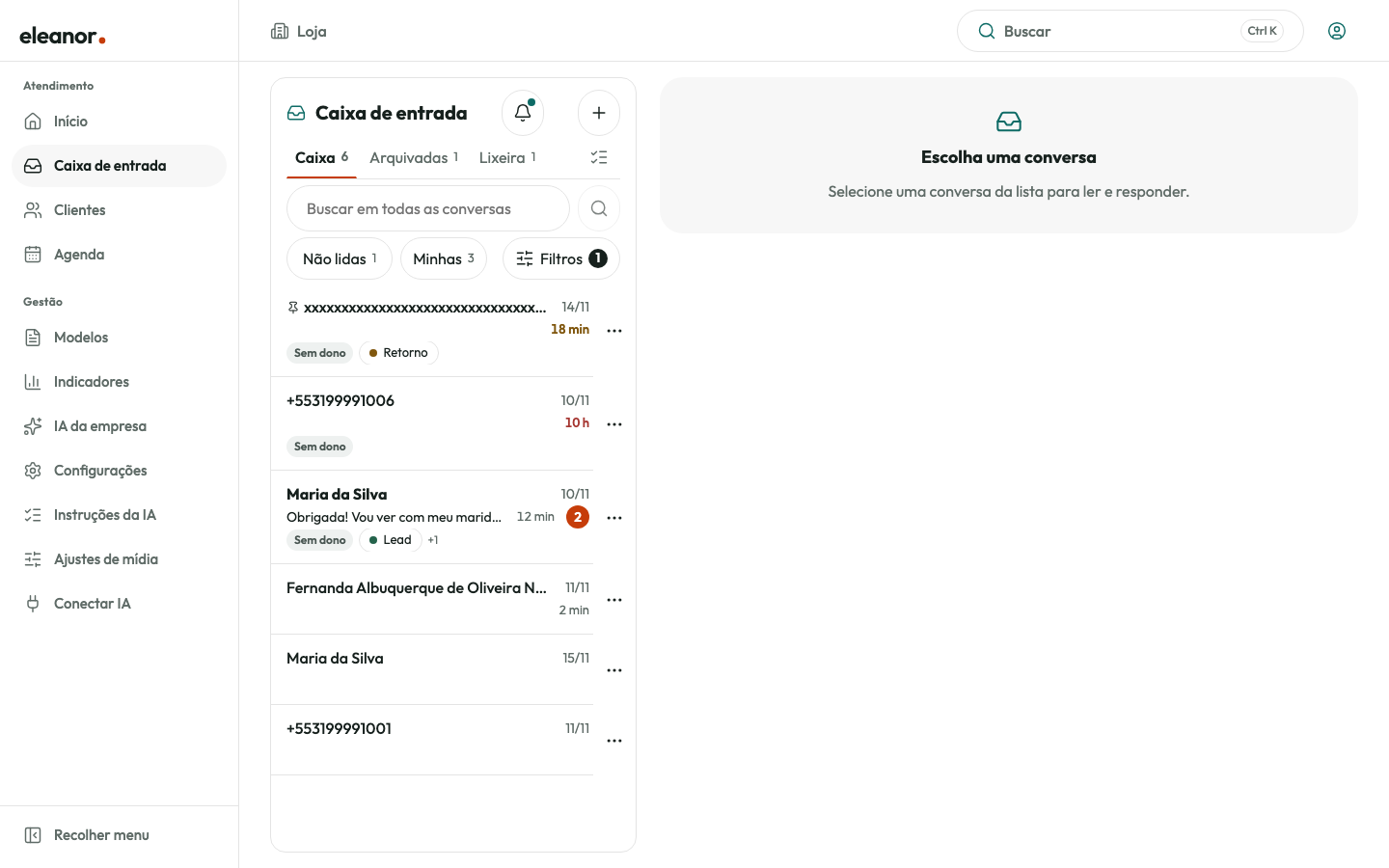
Eleanor is a customer service CRM for WhatsApp with an AI agent built in, made for teams. Conversations arrive in a shared inbox; each one has an owner, the waiting time is visible and the customer profile appears next to the message, with the history of what has already been agreed. The AI works in the modes the company allows, Suggest, Approve or Pilot, and goes quiet in any conversation a team member has taken over. The more people and numbers you have, the more this organization makes a difference.
Next steps
Before changing tools, test the five rules for a week with what you already have. If the split works as an agreement but breaks on the device, it is a sign the operation has outgrown the app. For a step-by-step on organization, read how to organize customer service on WhatsApp.
Answers on this topic
Frequently asked questions
How many people can use the same WhatsApp at the same time?
In the app, according to the WhatsApp Help Center, you can link up to four devices to the same account. With the official API and a customer service platform, the team works in a shared inbox, and the limit becomes the one of the platform you hire.
Do I have to stop using the app to use the official API?
Not necessarily. Meta's documentation describes the option of connecting an existing WhatsApp Business app account to the API, keeping individual sending through the app and the history in sync between the two. The requirements are set by Meta.
How do I stop two agents from answering the same customer?
With an owner per conversation: every new conversation gets an owner within minutes, and nobody answers another person's conversation without saying so or receiving the handover.
Sources
- WhatsApp Help Center, "About linked devices": faq.whatsapp.com, read on November 24, 2026.
- Meta, onboarding WhatsApp Business app users to the API: developers.facebook.com, read on November 24, 2026.
- WhatsApp, Business Policy: whatsappbusiness.com/policy, read on November 24, 2026.
More articles

Customer acquisition cost: how customer service wastes the lead you already paid for
What customer acquisition cost (CAC) is, how to calculate it without fooling yourself, and why the WhatsApp chat nobody answered is the most expensive way to lose ad money.
Read article

Reactivating customers on WhatsApp: how to reach a dormant customer base without spamming
A customer who bought once and disappeared is the easiest conversation to restart, and also the easiest to ruin. When to reach out again, what WhatsApp rules and data protection law require, and how to write a message people actually want to get.
Read article
No-shows: how to reduce missed appointments with WhatsApp reminders
A booked slot and a customer who never shows up cost the team's time and a slot someone else wanted. What research says about message reminders, how to set up a reminder on WhatsApp and what to do with people who missed.
Read article